


 Manufacturers
MOLEX 0192480072

Description
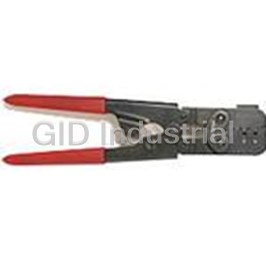
Crimp Tape Applicator Tool
0192480072
Part Number
0192480072
Price
Request Quote
Manufacturer
MOLEX
Lead Time
Request Quote
Category
Fasteners, Hardware and Fluid Transfer » Hardware Tools
Specifications
Manufacturer
Molex
Manufacturers Part #
0192480072
Industry Aliases
19248-0072, 192480072
Sub-Category
Hardware Tools
Factory Pack Quantity
1
Datasheet


Extracted Text
SET UP INSTRUCTION FOR MTA-100 (19248-0072) APPLICATOR IN A MOLEX BENCHMASTER 3BF (11-15-0000) PRESS CAUTION: POWER MUST BE OFF (DISCONNECT AT SOURCE) 1. Adjust press ram to 5-1/2" clearance when crank is at bottom dead center. 2. Turn crank till ram is at top dead center, then slide the MTA-100 (19248- 0072) applicator (as received) into place, lining up the shank with the hole in the bottom of the ram. 3. Turn crank to bottom dead center position (shank will have entered hole in ram and a clearance will be noticed between the bottom of ram and top side of upper die plate.) 4. Square up the MTA-100 (19248-0072) with the press frame. Check for any interference of the guard with press members. Then insert the clamp bar in place under the press frame and snug down the lower die plate with the screw and washers provided. 5. Loosen rear mounting nuts on the guard, then pivot guard forward. 6. Adjust ram down till its bottom face engages the to surface of the upper die plate, then tighten the keeper bar on the die shank, also tighten the lower clamp bar screw. Check again for the crank to be at bottom dead center. 7. Remove the set up spacer block. Crank press over to top dead center and install the crimp tooling. (CAUTION: Make sure the tooling is square and securely seated in their respective upper and lower nests.) 8. Crank press thru its complete cycle 3 or 4 times, making sure there is no binding or interference of the tooling or press with the die hardware. Also notice that the sprocket wheel that's behind the crimp tooling indexes one tooth each cycle. Set Up Instructions for MTA-100 (19248-0072) Applicator in a Molex 3BF (11-15-0000) Press INDUSTRIAL DIVISION Tampa Bay Page 1 Operations 9. Attach the reel holder bracket to the mounting bracket on the left side of the press and place a reel of taped parts on the hub shaft. (CAUTION: Make sure the barrel of the part is facing the operator, sprocket holes in tape are away from the operator. Check for compatibility of the part with the crimp tooling.) 10. Remove the first two terminals from the lead on the tape and place the tape on the sprocket wheel. You will have to pivot the top tape retainer guide out of the way first. To do this, press the rectangular red button and lift the extending arm of the tape retainer. Having the tape holes engaged in the sprocket wheel, bring the tape retainer guide back down, until the red rectangular button snaps out and holds the retainer in place. 11. Pivot the lexan guard back up into place and secure the retaining nuts. 12. Manually cycle the press until a terminal rests on the lower crimp die. 13. Turn power on, and cycle press with switch control. NOTE: Tape lead should discharge out the right side of guard. 14. Proceed to crimp wire leads by inserting the wire through guard and into terminal barrel. Then cycle press and pull terminal off tape at the end of each cycle. Set Up Instructions for MTA-100 (19248-0072) Applicator in a Molex 3BF (11-15-0000) Press INDUSTRIAL DIVISION Tampa Bay Page 2 Operations INSTRUCTIONS FOR ADJUSTING SHUT HEIGHT ON A 3BF (11-15-0000) PRESS WHEN USING A MOLEX-ETC MTA-100 (19248-0072) APPLICA- TOR WITHOUT REMOVAL OF PRESS FLY WHEEL GUARD • Turn power off. • Install correct ATP butting dies in MTA-100 (19248-0072) applicator. • Open guard door. • Observe that index lines on connecting rod and eccentric are lined up at 12:00 position. • Using a 1/2" open-end wrench, rotate the crank shaft counterclockwise 1/2 turn so the index line of the eccentric is at 6:00 or the ram's lowest position. • If the dies touch before index line reaches the 6:00 position, the press shut height requires adjustment. • This can be achieved as follows: • Loosen the ball screw jaw nut and clamp set screw. • Raise or lower ram by rotating ball screw until desired shut height is achieved. The electrical crimping dies marked E1 and E2 should touch or butt when the ram is in its lowest position. In addition, at that point the ram should be set so there is slight resistance when rotating the crank shaft with the wrench. • Tighten clamp screw and jam nut when this is accomplished. • Follow through one more time and repeat the process using the wrench, being sure the electrical dies butt and there is slight resistance at that point. • Rotate crank shaft by turning wrench clockwise so index lines of connecting rod and eccentric match at 12:00 position. Set Up Instructions for MTA-100 (19248-0072) Applicator in a Molex 3BF (11-15-0000) Press INDUSTRIAL DIVISION Tampa Bay Page 3 Operations INSTRUCTIONS FOR ADJUSTING SHUT HEIGHT ON A 3BF (11-15-0000) PRESS WHEN USING A MOLEX-ETC MTA-100 (19248-0072) APPLICA- TOR WITHOUT REMOVAL OF PRESS FLY WHEEL GUARD • Install mylar tape mounted terminals in the applicator and index the press manually until the first terminal indexes in proper location within crimping die nest. At this point press should be in the upward position so index lines of connecting rod and eccentric match at 12:00 position. • With press in upward position focus to rear of the MTA-100 (19248-0072) applicator and adjust the index arm so flat position is approximately 1/32 of an inch below the flat of the horizontal index tooth to the right or at the 3:00 position. This adjustment can be made by loosening the two socket head screws at the top rear surface of the MTA-100(19248-0072). Make the adjustment, which is necessary due to press variations; then re-tighten the two set screws securely. Please note the sketch below for further clarification. SOCKET HEAD SET SCREW HORIZONTAL INDEX TOOTH 1/32" INDEX ARM FLAT • If reaching the two socket head set screws is a problem because of interference due to the frame of the 3BF (11-15-0000) press, it may be necessary to slide the MTA-100 (19248-0072) forward, reverse it 180° and slide it back in position. Exercising caution – the base is held down with the top surface of applicator touching lower press ram surface – make the necessary adjustment as described in the previous step. Reverse the applicator 180°, align, tighten down base and post, and proceed to the next step. • Press is now ready to operate under power. Set Up Instructions for MTA-100 (19248-0072) Applicator in a Molex 3BF (11-15-0000) Press INDUSTRIAL DIVISION Tampa Bay Page 4 Operations INSTRUCTIONS FOR ADJUSTING SHUT HEIGHT ON A 3BF (11-15-0000) PRESS WHEN USING A MOLEX-ETC MCM-200 (19249-0392) WITHOUT REMOVAL OF PRESS FLY WHEEL GUARD • Turn power off. • Install correct ATP butting dies in MCM-200 (19249-0392) applicator. • Open guard door. • Observe that index lines on connecting rod and eccentric are lined up at 12:00 position. • Using a 1/2" open-end wrench, rotate the crank shaft counterclockwise 1/2 turn so the index line of the eccentric is at 6:00 or the ram's lowest position. • If the dies touch before index line reaches the 6:00 position, the press shut height requires adjustment. • This can be achieved as follows: • Loosen the ball screw jam nut and clamp set screw. • Raise or lower ram by rotating ball screw until desired shut height is achieved. The electrical crimping dies marked E1 and E2 should touch or butt when the ram is in its lowest position. In addition, at that point the ram should be set so there is slight resistance when rotating the crank shaft with the wrench. • Tighten clamp screws and jam nut when this is accomplished. • Follow through one more time and repeat the process using the wrench, being sure the electrical dies butt and there is slight resistance at that point. • Rotate crank shaft by turning wrench clockwise so index lines of connecting rod and eccentric match at 12:00 position. • Make necessary adjustment settings to mechanical feed position depending on size of FIQD part being used. Enter parts into chute of mechanical feed and push through until first part is positioned and centered directly above lower crimping dies. • Press is now ready to operate under power. Set Up Instructions for MTA-100 (19248-0072) Applicator in a Molex 3BF (11-15-0000) Press INDUSTRIAL DIVISION Tampa Bay Page 5 Operations
Frequently asked questions
How does Electronics Finder differ from its competitors?

Is there a warranty for the 0192480072?
Which carrier will Electronics Finder use to ship my parts?
Can I buy parts from Electronics Finder if I am outside the USA?
Which payment methods does Electronics Finder accept?
Why buy from GID?

Quality
We are industry veterans who take pride in our work

Protection
Avoid the dangers of risky trading in the gray market

Access
Our network of suppliers is ready and at your disposal

Savings
Maintain legacy systems to prevent costly downtime

Speed
Time is of the essence, and we are respectful of yours
Related Products
Hand Crimp Tool 0011010006
Hand Crimper Handtool Type 0011010008
Hand Crimper Handtool Type 0011010011
Hand Crimp Tool With Type Hand Tool 0011010026
Hand Crimp Tool for Board-In Terminal, 16-18 AWG" 0011010065
Hand Crimp Tool for Board-In Terminal, 18-24 AWG" 0011010068


Request a Quote

The quote request has been received

Close

Facing challenges or have inquiries? Feel free to contact us!
Call Us +1-469-283-2440
What they say about us
FANTASTIC RESOURCE
One of our top priorities is maintaining our business with precision, and we are constantly looking for affiliates that can help us achieve our goal. With the aid of GID Industrial, our obsolete product management has never been more efficient. They have been a great resource to our company, and have quickly become a go-to supplier on our list!
Bucher Emhart Glass
EXCELLENT SERVICE
With our strict fundamentals and high expectations, we were surprised when we came across GID Industrial and their competitive pricing. When we approached them with our issue, they were incredibly confident in being able to provide us with a seamless solution at the best price for us. GID Industrial quickly understood our needs and provided us with excellent service, as well as fully tested product to ensure what we received would be the right fit for our company.
Fuji
HARD TO FIND A BETTER PROVIDER
Our company provides services to aid in the manufacture of technological products, such as semiconductors and flat panel displays, and often searching for distributors of obsolete product we require can waste time and money. Finding GID Industrial proved to be a great asset to our company, with cost effective solutions and superior knowledge on all of their materials, it’d be hard to find a better provider of obsolete or hard to find products.
Applied Materials
CONSISTENTLY DELIVERS QUALITY SOLUTIONS
Over the years, the equipment used in our company becomes discontinued, but they’re still of great use to us and our customers. Once these products are no longer available through the manufacturer, finding a reliable, quick supplier is a necessity, and luckily for us, GID Industrial has provided the most trustworthy, quality solutions to our obsolete component needs.
Nidec Vamco
TERRIFIC RESOURCE
This company has been a terrific help to us (I work for Trican Well Service) in sourcing the Micron Ram Memory we needed for our Siemens computers. Great service! And great pricing! I know when the product is shipping and when it will arrive, all the way through the ordering process.
Trican Well Service
GO TO SOURCE
When I can't find an obsolete part, I first call GID and they'll come up with my parts every time. Great customer service and follow up as well. Scott emails me from time to time to touch base and see if we're having trouble finding something.....which is often with our 25 yr old equipment.
ConAgra Foods