

 Manufacturers
EBM-PAPST INC. G2G097-AA26-09

Description
DC Blower Centrifugal Ball Bearing 12V 8V to 14V 50CFM 57dB
G2G097-AA26-09
Part Number
G2G097-AA26-09
Price
Request Quote
Manufacturer
EBM-PAPST INC.
Lead Time
Request Quote
Category
Thermal Management » Blowers and Fans
Specifications
Manufacturer
ebm-papst Inc.
Manufacturers Part #
G2G097-AA26-09
Industry Aliases
G2G097-AA26-09
Sub-Category
Thermal Management Blowers and Fans
Factory Pack Quantity
1
Datasheet


Extracted Text
Safety notes For EC and DC built-in fans ebm-papst Mulfingen GmbH & Co. KG 1. SAFETY REGULATIONS AND NOTES Bachmühle 2 Please read this document carefully before starting work with the 74673 Mulfingen device. Observe the following warnings to prevent malfunctions or Germany danger to persons. This document is to be regarded as part of the Phone +49 7938 81-0 device. The device is only to be sold or passed on together with this Fax +49 7938 81-110 document. This document may be duplicated and forwarded for info1@de.ebmpapst.com information about potential dangers and their prevention. www.ebmpapst.com 1.1 Hazard levels for warning notices 1. CONTENTS This document uses the following hazard levels to indicate potentially hazardous situations and important safety regulations: 1. SAFETY REGULATIONS AND NOTES 1 DANGER 1.1 Hazard levels for warning notices 1 Indicates an imminently hazardous situation which, if not avoided, will result in death or serious injury. The measures 1.2 Staff qualification 1 must be strictly observed. 1.3 Basic safety rules 1 WARNING Indicates a potentially hazardous situation which, if not 1.4 Voltage and current 1 avoided, could result in death or serious injury. Exercise extreme caution while working. 1.5 Safety and protective functions 2 CAUTION 1.6 Electromagnetic radiation 2 Indicates a potentially hazardous situation which, if not avoided, may result in minor or moderate injury or damage of 1.7 Mechanical movement 2 property. 1.8 Emissions 2 NOTE 1.9 Hot surface 2 A potentially harmful situation can occur and, if not avoided, can lead to property damage. 1.10 Transport 2 1.2 Staff qualification 1.11 Storage 2 Only authorised electricians are permitted to install the device, to carry out a test run and to perform work on the electrical installation. The 1.12 Disposal 2 device may only be transported, unpacked, operated, maintained and otherwise used by trained and authorised technical staff. 2. INTENDED USE 3 1.3 Basic safety rules The safety hazards associated with the device must be assessed again 3. CONNECTION AND START-UP 3 following installation in the final product. Note the following when working on the device: 3.1 Mechanical connection 3 ➔ Do not make any modifications, additions or conversions to the device without the approval of ebm-papst. 3.2 Electrical connection 3 1.4 Voltage and current 3.3 Checking connections 4 Check the electrical equipment of the device at regular intervals. 3.4 Switching on the device 4 Replace loose connections and defective cables immediately 3.5 Switching off the device 4 DANGER Device electrically charged 4. MAINTENANCE, PROBLEMS, POSSIBLE CAUSES AND Electric shock REMEDIES 5 ➔ When working on an electrically charged device, stand on a rubber mat. 4.1 Safety inspections 5 WARNING Terminals and connections may be live even with the device switched off Electric shock ➔ Wait five minutes following after disconnecting the voltage at all poles before touching the device. Version: 3.3 • Approval date: xxxx-xx-xx • J. Bamberger (VM-POK) • Page 1/5 ebm-papst Mulfingen GmbH & Co. KG • Bachmühle 2 • 74673 Mulfingen • Germany Phone +49 7938 81-0 • Fax +49 7938 81-110 • info1@de.ebmpapst.com • www.ebmpapst.com Safety notes For EC and DC built-in fans CAUTION 1.7 Mechanical movement In the event of a fault, the rotor and the impeller will be DANGER energised Rotating device The rotor and the impeller have basic insulation. Risk of injury to any parts of the body coming into contact ➔ Do not touch the rotor and impeller once installed. with the rotor and impeller. CAUTION ➔ Secure the device against accidental contact. Wait until all parts have come to a standstill before starting work on the If control voltage is applied or a speed setpoint is stored, installation/machine. the motor will restart automatically, e.g. after power failure. WARNING Risk of injury Rotating device ➔ Keep out of the device's danger zone. Long hair and dangling items of clothing and jewellery can ➔ When working on the device, switch off the mains power become entangled and be pulled into the device. Risk of and ensure that it cannot be switched back on. injury. ➔ Wait until the device stops. ➔ Do not wear any loose-fitting or dangling clothing or Leakage current greater than 3.5 mA requires a fixed earth jewellery while working on moving parts. conductor connection. The device can be earthed using two ➔ Protect long hair with a cap. earth conductors, each with a cross-section equal to that of NOTE the phase conductor, or one earth conductor with at least 10 Operating an imbalanced device can lead to unwanted mm². vibrations. This can damage the device. Remove any 1.5 Safety and protective functions imbalances or consult ebm-papst. DANGER 1.8 Emissions Missing guard and/or non-functioning safety device WARNING Without a protective device there is a risk of serious injury, for Depending on the installation and operating conditions, instance when reaching into the device during operation. the sound pressure level may exceed 70 dB(A). ➔ Only operate the device with or in a fixed protective device and guard grille. The safety barrier must be capable of Risk of noise-induced hearing loss withstanding the kinetic energy of a fan blade. ➔ Take appropriate technical safety measures. ➔ The device is a built-in component. The operator is ➔ Protect operating personnel with appropriate safety responsible for providing adequate protection. equipment, e.g. hearing protection. ➔ Stop the device immediately if a safety device is found to 1.9 Hot surface be missing or ineffective. CAUTION DANGER High temperature at the electronics enclosure Loose objects in flow area Risk of burns The air flow in the device may lead to loose objects moving ➔ Ensure sufficient protection against accidental contact. and causing injuries. ➔ Ensure that there are no loose objects in the flow area. 1.10 Transport DANGER CAUTION Weight clips may become loose and cause injuries Transporting the device ➔ Please take measures to prevent injuries. ➔ Transport the device in its original packaging only. NOTE ➔ Use a lashing strap, for example, to stop the device Increased speed causes the noise level to rise slipping. ➔ Please wear hearing protection. 1.11 Storage 1.6 Electromagnetic radiation Store the device in the original packaging in a clean and dry Interference from electromagnetic radiation is possible, e.g. in environment that offers protection from the weather. Protect the conjunction with open and closed-loop control devices. If impermissible device against environmental effects and dirt until final installation. We radiation levels occur following installation, appropriate shielding recommend storing the device no longer than one year. Maintain the measures have to be taken before being market introduction. storage temperature. NOTE 1.12 Disposal Electrical or electromagnetic interference after installing Observe all the relevant local requirements and regulations with regard the device in customer equipment. to disposal of the device. ➔ Verify that the entire set-up is EMC-compliant. Version: 3.3 • Approval date: xxxx-xx-xx • J. Bamberger (VM-POK) • Page 2/5 ebm-papst Mulfingen GmbH & Co. KG • Bachmühle 2 • 74673 Mulfingen • Germany Phone +49 7938 81-0 • Fax +49 7938 81-110 • info1@de.ebmpapst.com • www.ebmpapst.com Safety notes For EC and DC built-in fans 2. INTENDED USE 3. CONNECTION AND START-UP The device is exclusively designed as a built-in device for conveying air 3.1 Mechanical connection according to its technical data. Any other usage above and beyond this does not conform with the intended purpose and constitutes misuse CAUTION of the device. Customer equipment must be suited to the mechanical, Cutting and crushing hazard when removing device from thermal and service life demands involved. packaging Intended use also includes ➔ Lift the device out of its packaging carefully, taking care to - Using the device in neutral-earthed power systems only (applies only avoid any impact. to three-phase devices). ➔ Wear safety shoes and cut-resistant safety gloves. - Conveying air with a density of 1.2 kg/m³. CAUTION - The device is only to be used at the permissible ambient temperature. Heavy load when unpacking device - Operating the device with all protective devices. - Compliance with all safety instructions. Risk of physical injury, such as back injuries. ➔ Two people are required to lift the device out of its Non-intended use packaging if it weighs more than 10 kg. Use a suitable Operating the device in the following ways in particular is prohibited and lifting system if the device weights more than 50 kg. could be hazardous: ➔ Install the device in a way that is suitable for the respective - Conveying air that contains abrasive particles. application. - Conveying highly corrosive air, such as salt spray. Exception: Devices designed for salt spray with corresponding protection. ➔ Make use of suitable fasteners for installation. - Conveying air with high dust pollution, e.g. suctioning off sawdust. 3.2 Electrical connection - Operating the device close to flammable materials or components. - Operating the device in an explosive atmosphere. DANGER - Using the device as a safety component or to perform safety-related functions. Voltage at the device - In addition, all applications not listed among the intended uses. Electric shock If you have special questions, consult ebm-papst for support. ➔ A protective earth must always be connected first for devices that are not supplied with SELV. Alternatively, Electromagnetic compatibility install the device in the application in a way that prevents brush contact. When removing the device, ensure that the If several fans are switched in parallel on the mains side so protective earth is always disconnected last. that the line current of the arrangement is in the range of 16-75 A, then this arrangement conforms to IEC 61000-3-12 DANGER provided that the short-circuit power Ssc at the connection Faulty insulation point of the customer system to the public power system is greater than or equal to 120 times the rated output of the Risk of fatal injury from electric shock. arrangement. It is the responsibility of the installation engineer Check the insulation for damage before commissioning the or operator/owner of the device to ensure, if necessary after device. consultation with the network operator, that this device is ➔ Use only cables that meet the specified installation only connected to a connection point with a Ssc value that requirements for voltage, current, insulation material, load is greater than or equal to 120 times the rated output of the etc. arrangement. DANGER Electrical load (>50 µC) between mains wire and protective earth connection after switching off supply when switching multiple devices in parallel. Electric shock, risk of injury ➔ Make sure that sufficient protection against accidental contact is provided. Before working on the electrical connection, the connections to the mains supply and PE must be shorted. (Does not apply to DC-supplied devices). CAUTION Voltage The device is a built-in component and has no isolating switch. ➔ Only connect the device to circuits that can be de- energised with an all-pole disconnection switch. ➔ When working on the motor, you must switch off the system/machine in which the motor is installed and secure it from being switched on again. CAUTION Electric shock Electric voltage on the metal part ➔ Only use the device with the intended cable guard (applies Version: 3.3 • Approval date: xxxx-xx-xx • J. Bamberger (VM-POK) • Page 3/5 ebm-papst Mulfingen GmbH & Co. KG • Bachmühle 2 • 74673 Mulfingen • Germany Phone +49 7938 81-0 • Fax +49 7938 81-110 • info1@de.ebmpapst.com • www.ebmpapst.com Safety notes For EC and DC built-in fans only to devices with terminal box). 3.4 Switching on the device The device may only be switched on if it has been installed properly NOTE and in accordance with its intended use, including the required safety Risk of subjecting devices to interference mechanisms and professional electrical connection. This also applies for ➔ Maintain a distance to the power supply line when routing devices which have already been equipped with plugs and terminals or the control lines of the device. Maintain the greatest similar connectors by the customer. possible clearance. - Before switching on, check the device for visible external damage and Recommendation: Distance > 10 cm (separate cable routing) make sure the protective devices are functional. (does not apply to DC-supplied devices). - Check the fan's air flow paths for foreign matter and remove any foreign matter found. Leakage current greater than 3.5 mA requires a fixed earth - Apply the nominal supply voltage. conductor connection. The device can be earthed using two earth conductors, each with a cross-section equal to that of WARNING the phase conductor, or one earth conductor with at least Hot motor housing 10 mm² (does not apply to DC-supplied devices). Risk of fire Prerequisites ➔ Make sure there are no combustible and flammable ➔ Check whether the data on the type plate match the connection data. substances in the vicinity of the device. ➔ Before switching on, check the device for visible external ➔ Ensure that the power supply matches the device voltage before damage and make sure the protective devices are connecting the device. functional. ➔ Only use cables designed for the current level indicated on the type ➔ Apply the nominal supply voltage. plate. ➔ Start the device by changing the input signal. Residual current circuit breakers 3.5 Switching off the device - Switching off the device during operation: Three-phase types and types with active PFC may only be ➔ Switch off the device via the control input, in order to used with universal residual current devices (type B). Single- protect the device. phase types without PFC may use a pulse current-sensitive ➔ Do not switch the motor (e.g. in cyclic operation) on and off residual current devices (type A). Like frequency inverters, via power supply. residual current devices cannot provide personal safety while - Device switch-off for maintenance: operating the device. ➔ Disconnect the device from the power supply. Motor protection for devices without overheating protection WARNING Device without overheating protection The device is delivered without any automatic overheating protection. The device can become hot and catch fire. ➔ Please take measures to prevent overheating! Connect wires to terminals (only applies to devices with terminal connection) WARNING Live terminals and connections even with device switched off Electric shock ➔ Wait five minutes following after disconnecting the voltage at all poles before touching the device. WARNING Voltage at cable gland Electric shock ➔ Do not use metal cable glands with plastic terminal boxes. 3.3 Checking connections ➔ Ensure isolation from supply. ➔ Secure against renewed switch-on. ➔ Check the connection lines for proper fit. Version: 3.3 • Approval date: xxxx-xx-xx • J. Bamberger (VM-POK) • Page 4/5 ebm-papst Mulfingen GmbH & Co. KG • Bachmühle 2 • 74673 Mulfingen • Germany Phone +49 7938 81-0 • Fax +49 7938 81-110 • info1@de.ebmpapst.com • www.ebmpapst.com Safety notes For EC and DC built-in fans 4. MAINTENANCE, PROBLEMS, POSSIBLE CAUSES AND 4.1 Safety inspections REMEDIES What to check How to check How often Do not perform any repairs on the device. Send the device to ebm-papst Shock protection Visual inspection At least every 6 months for repair or replacement. Ensure that all safety measures are retaken enclosure after maintenance. Device for damage Visual inspection At least every 6 months WARNING Fan mounting Visual inspection At least every 6 months Live terminals and connections even with device Connection Visual inspection At least every 6 months switched off lines mounting Electric shock Protective earth con- Visual inspection At least every 6 months Wait five minutes following after disconnecting the voltage at nection all poles before touching the device. mounting CAUTION Cable insulation Visual inspection At least every 6 months Risk of injury If control voltage is applied or a speed setpoint is stored, the motor will restart automatically, e.g. after power failure. Keep out of the device's danger zone. ➔ When working on the device, switch off the mains power and ensure that it cannot be switched back on. ➔ Wait until the device stops. If the device is out of use for some time, e.g. when in storage, we recommend switching it on for at least two hours to allow any condensation to evaporate and to move the bearings. Malfunction/ Possible cause Possible remedy fault Motor does not - Mechanical - Switch off and remove turn blockage mechanical blockage - Mains power - Check mains power, faulty restore power supply - Control signal - Apply control signal faulty Impeller - Imbalance in - Clean the device; if not running rotating parts imbalance persists, smoothly replace it Over- - Ambient - If possible, reduce temperature of temperature too ambient temperature. electronics high - Reset by reducing control - Deficient cooling input to 0. Motor - Impermissible overtemperature operating point Rotor bearing - Electronics failure socket fault (does not apply to DC-supplied devices) NOTE In the event of any other malfunctions, contact ebm-papst. Version: 3.3 • Approval date: xxxx-xx-xx • J. Bamberger (VM-POK) • Page 5/5 ebm-papst Mulfingen GmbH & Co. KG • Bachmühle 2 • 74673 Mulfingen • Germany Phone +49 7938 81-0 • Fax +49 7938 81-110 • info1@de.ebmpapst.com • www.ebmpapst.com
Frequently asked questions
How does Electronics Finder differ from its competitors?

Is there a warranty for the G2G097-AA26-09?
Which carrier will Electronics Finder use to ship my parts?
Can I buy parts from Electronics Finder if I am outside the USA?
Which payment methods does Electronics Finder accept?
Why buy from GID?

Quality
We are industry veterans who take pride in our work

Protection
Avoid the dangers of risky trading in the gray market

Access
Our network of suppliers is ready and at your disposal

Savings
Maintain legacy systems to prevent costly downtime

Speed
Time is of the essence, and we are respectful of yours
Related Products
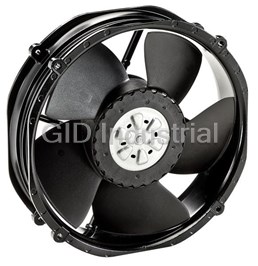
DC Fan Axial Ball Bearing 24V 16V to 36V 552.9CFM 66dB Low Noise/PWM 2214F/2TDHHO
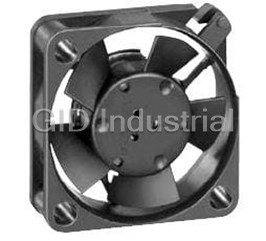
DC Fan Axial Sintec-Sleeve Bearing 12V 10V to 14V 1.9CFM 15dB 25 X 25 X 8mm Low Power Consumption 25...
DC Fan Axial Sintec-Sleeve Bearing 5V 4.5V to 5.5V 2.7CFM 23dB 25 X 25 X 8mm Low Power Consumption 2...
DC Fan Axial Sintec-Sleeve Bearing 5V 4.5V to 5.5V 1.2CFM 5dB 25 X 25 X 8mm Low Power Consumption 25...
DC Fan Axial Sintec-Sleeve Bearing 5V 4.5V to 5.5V 1.9CFM 16dB 25 X 25 X 8mm Low Power Consumption 2...
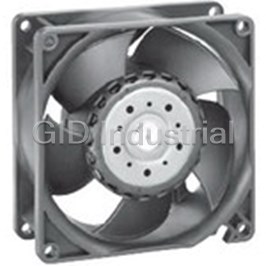
DC Fan Axial Ball Bearing 12V 6V to 13.8V 140CFM 69dB 92 X 92 X 38mm 3212J/2H3


Request a Quote

The quote request has been received

Close

Facing challenges or have inquiries? Feel free to contact us!
Call Us +1-469-283-2440
What they say about us
FANTASTIC RESOURCE
One of our top priorities is maintaining our business with precision, and we are constantly looking for affiliates that can help us achieve our goal. With the aid of GID Industrial, our obsolete product management has never been more efficient. They have been a great resource to our company, and have quickly become a go-to supplier on our list!
Bucher Emhart Glass
EXCELLENT SERVICE
With our strict fundamentals and high expectations, we were surprised when we came across GID Industrial and their competitive pricing. When we approached them with our issue, they were incredibly confident in being able to provide us with a seamless solution at the best price for us. GID Industrial quickly understood our needs and provided us with excellent service, as well as fully tested product to ensure what we received would be the right fit for our company.
Fuji
HARD TO FIND A BETTER PROVIDER
Our company provides services to aid in the manufacture of technological products, such as semiconductors and flat panel displays, and often searching for distributors of obsolete product we require can waste time and money. Finding GID Industrial proved to be a great asset to our company, with cost effective solutions and superior knowledge on all of their materials, it’d be hard to find a better provider of obsolete or hard to find products.
Applied Materials
CONSISTENTLY DELIVERS QUALITY SOLUTIONS
Over the years, the equipment used in our company becomes discontinued, but they’re still of great use to us and our customers. Once these products are no longer available through the manufacturer, finding a reliable, quick supplier is a necessity, and luckily for us, GID Industrial has provided the most trustworthy, quality solutions to our obsolete component needs.
Nidec Vamco
TERRIFIC RESOURCE
This company has been a terrific help to us (I work for Trican Well Service) in sourcing the Micron Ram Memory we needed for our Siemens computers. Great service! And great pricing! I know when the product is shipping and when it will arrive, all the way through the ordering process.
Trican Well Service
GO TO SOURCE
When I can't find an obsolete part, I first call GID and they'll come up with my parts every time. Great customer service and follow up as well. Scott emails me from time to time to touch base and see if we're having trouble finding something.....which is often with our 25 yr old equipment.
ConAgra Foods